Google services are often very convenient, but above all they are voracious for personal data. Using multiple services lets Google amass personal data that you have entered directly. But Google can also infer a lot of additional information about you through its machine learning algorithms, which lets it:
- Offer you an even more addictive service (see YouTube recommendations)
- Influence you more effectively (and therefore charge advertisers more for its service — you are the product)
This article, very incomplete given how hard it is to keep up with all of Google's initiatives, aims to list the Google services that are hungriest for personal data, explain how they hoover up your data, and suggest alternatives.
Online services for the general public

Although Google started out with its search engine, it quickly broadened its offering into an impressive range of online services for the general public.
Google Search
The search engine. It is Google's cash cow, capturing your personal data by storing the history of the searches you type and tying them to your account. Privacy-friendly alternatives such as the American DuckDuckGo or the French Qwant are not on Google's level for every search, but should meet your expectations for most of them.
YouTube
The world's leading video platform, by far. Here Google captures all your searches and video views and ties them to your account. You can turn off this association, at which point you will no longer get personalized recommendations (not necessarily a bad thing, if you want to avoid filter bubbles and extremist videos).
If you are looking for a video, want to unwind, or want to subscribe to a channel, YouTube unfortunately has no real competitor. You can watch YouTube videos on the web without going through the YouTube site by using Invidio.us. If you want to host videos online and then embed them on your site, you can put them on PeerTube.
Gmail
The email service. All your emails are stored at Google, which therefore has access to your personal correspondence, your purchases, your subscriptions, and so on. For an alternative, look at Protonmail, a Swiss service developed by scientists from CERN and MIT that encrypts your emails end to end. In practice, this means Protonmail cannot read your emails; it only has access to the encrypted version.
Google Calendar
The calendar. Here Google has access to your appointments. If you are on Apple, you can use its calendar (paired with an iCloud account), but the service is not end-to-end encrypted: Apple holds the decryption key and can therefore access your calendar. Protonmail is currently developing ProtonCalendar, but the service is not yet available.
Google Photos
The photo storage service. Here too, Google stands out by not setting a storage limit. The trade-off is that you let Google into your memories, into very personal moments, which helps it know you even better. Finding privacy-friendly alternatives that are just as good is no easy task.
If you are on Apple, you can opt for the iCloud (paid subscription) & Apple Photos combo. The plans are attractive, but the service is not as good (frequent bugs when syncing photos from your Mac). Your photos are also not end-to-end encrypted: Apple holds the decryption key and can therefore access them. For an encrypted option, you can go with Crypt.ee.
Google Maps
Google's mapping service. Without question the best mapping app, with superb innovations such as Google Earth and Street View, but also a heavy consumer of personal data, tying all your trips to your Google account. You can turn off Location History, which will unlink your movements from your account. If you use Waze for car trips, note that the app also belongs to Google, which bought it in 2013.
The alternatives vary depending on your needs: Apple Maps if you are in the Apple ecosystem (privacy-friendly, each request is made with a different identifier), the various apps based on the open-source solution OpenStreetMap such as Maps.me, CityMapper or Moovit for getting around town, or Mapstr for sharing your favorite spots.
Google Chrome
Google's browser. Here you hand Google your web history, that is, every page you visit. This browser is based on the open-source software Chromium, but Google adds a proprietary layer on top. For alternatives, you can use Firefox, Safari or Brave.
Google Drive
Google's online storage service. Here Google captures all your documents. Competitors exist, such as Apple iCloud, as well as privacy-friendly alternatives like Sync.com, which encrypts your data end to end. One of Google Drive's advantages is its app suite, with Google Docs, Google Sheets and Google Slides, mimicking Microsoft's Office suite.
Alternative
If you are a geek interested in open-source solutions, you can switch to Nextcloud. This software suite includes equivalents of Google Drive, Google Calendar, Google Photos, Gmail, and more (accessible on desktop but also via apps). The usability of Nextcloud's offerings is every bit as good as Google's services, but they have to be set up. You then have two options:
- Host your Nextcloud server yourself (buy a NAS and install Nextcloud on it). This option is the most complicated but also the most satisfying: you will have your own cloud at home!
- Choose an online host; this option is easier but requires a monthly subscription.
Please note that you will also have to configure the encryption of your data on Nextcloud yourself.
Operating systems
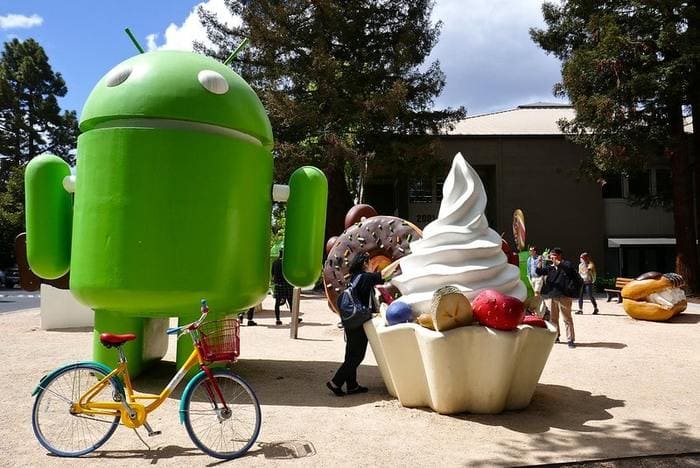
Android
Google's mobile operating system. Pre-installed by most manufacturers with Google Play, Google's app store, along with many Google apps (Search, Gmail, Drive, Photos, Maps, Chrome, etc.), it lets Google cement its dominance by making its various apps the defaults.
Android is open source, but Google has added a substantial layer of proprietary APIs on top, plus Google Play. Smartphone manufacturers have no choice but to install the best-known Google apps by default, on pain of losing access to Google Play. And developing an alternative system based on Android is just as tricky, because most apps in the Play Store rely on proprietary Google APIs ("Google Play Services" APIs).
The most obvious alternative is Apple's iOS, with the downsides of its price and of Apple's black box, since iOS is not open source. Alternatives based on Android but without Google's proprietary services are emerging, such as LineageOS with MicroG, but it is still tricky to get the most popular apps to run correctly because Google's proprietary APIs are missing.
ChromeOS
Google's Chrome-based operating system. Here you let Google run your computer, a kind of gilded cage where you can only install apps if they are available on the web (in the Chrome window). Google has worked on porting Android apps to Chrome OS, but the result is less than ideal. As alternatives, go for a real operating system like macOS, Windows or Linux.
WearOS
The operating system for smartwatches, based on Android. It is currently not very popular, but that could change if Google decides to invest more seriously (as its purchase of Fitbit might suggest).
Android TV
The operating system for smart TVs and set-top boxes. If you are on Apple, the alternative is to get an Apple TV. Otherwise, you will be stuck with the proprietary OS of the TVs and boxes.
Chromecast
The minimalist operating system, installed on the Google dongle of the same name, used to stream your videos to your television. If you are on Apple, you can use AirPlay instead. No equivalent that I am aware of, as Miracast dongles do not serve quite the same purpose.
Android Auto
The operating system embedded in automobiles. The Apple equivalent is CarPlay.
The hardware
Google is now investing in hardware. Its strategy is to extend the capture of your personal data by pushing personalization of the user experience even further. The “virtuous” circle: your personal data and Google's machine learning make for a better user experience, so Google sells more of its gadgets, which lets it capture even more personal data.
Pixel smartphones
The successor to Nexus, except that Google now wants to control the smartphone end to end (it bought part of HTC to do so). After the failed Motorola acquisition (later sold off to Lenovo), one might wonder whether Google has any chance of turning this into a commercial success, but it is worth watching the new features that debut on the Pixel (cf. Google Duplex). Plenty of alternatives here, but steer clear of Android phones bundled with the Google suite.
The Nest suite
Acquired by Google in 2014, Nest makes thermostats, smoke detectors and smart cameras. Here Google is installing surveillance capitalism in the very heart of the home. Smart alternatives exist, but it is hard to find ones that do not capture your personal data (no end-to-end encryption).
Google Home products
Rebranded Google Nest and therefore now part of the Nest suite, they all embed Google Assistant, Google's bug, a rival to Amazon Alexa, which listens in on your home 24/7 with its highly effective microphones. Where there is an assistant there is a bug on the competition's side too, with Amazon Alexa and even Apple Siri. Your most intimate conversations can be listened to by contractors, since these devices often switch on by mistake: the privacy-friendly assistant does not exist.
Fitbit
Google's latest purchase, turning its attention to your health and so now tracking your workouts. Here, go with Apple if you need a gadget but want to protect your personal data.
Advertising services

The online advertising sector is dominated by Google:
- On the media side (along with Facebook, Google takes in the bulk of online advertising revenue, in particular through its search engine, but also through YouTube and its AdSense ad network).
- On the advertising tools (from the 2008 DoubleClick acquisition), the indispensable black boxes of online advertising (publishers and advertisers mostly use Google's tools to sell and buy advertising, which lets Google levy its "tax" on every ad served).
Google Ads
Formerly AdWords, Google's ad network. It serves ads mainly on Google search results, but also on other Google properties such as YouTube and Gmail, and across the network of partner sites via AdSense, AdX and AdMob. It is Google's cash cow, catering to the biggest advertisers and small businesses alike.
Google Analytics
Google's audience measurement solution, used on the majority of websites (Google offers a free version). It is not easy to read between the lines of Google's terms of use and online help center, but Google Analytics may well also serve to enrich your profile at Google (which is not quite proper, since Google Analytics is a service aimed at businesses, one you have no direct relationship with).
Google Tag Manager
Google's solution for managing the various JavaScript tags on a website (analytics, advertising, etc.). No direct tracking here ("only" your IP address), but this "orchestrator" tool lets Google cement its dominance over analytics and advertising tools.
Google AdSense
Lets a website run Google Ads (Google's ad network). Here Google does capture your browsing and tie it to your profile, the better to target you.
Google AdMob
The equivalent of Google AdSense but on a mobile application, also used to better target you.
Google Ad Manager
Combines DFP (DoubleClick For Publishers, Google's ad server for large publishers) and Google Authorized Buyers (formerly AdX, Google's SSP). It is the orchestrator tool, the one that decides which ads to serve on publishers' sites.
The tool is strategic for Google: it lets Google make sure its own AdSense ad network does get served on large publishers' sites, while pitting it against other sources of demand.
Display & Video 360
Formerly DBM (DoubleClick Bid Manager, Google's DSP), it is the tool that works on an advertiser's behalf to choose which users to target, picking the right ad format, the right inventory, and the right purchase price.
This tool is strategic for Google too: while it does buy inventory managed by third-party tools, it also makes sure to buy from publishers using AdSense, AdMob and Google Ad Manager.
Campaign Manager
Formerly DCM (DoubleClick Campaign Manager, Google's ad server for large advertisers and advertising agencies), generally coupled with Display & Video 360.
The alternatives

As a user, it is quite simple: install an ad blocker.
- On desktop (Firefox, Chrome...), use uBlock Origin.
- On Android, use the combo Firefox and uBlock Origin.
- On iOS, use Safari and Firefox Focus.
- On mobile apps (Android & iOS), one option to block ads is to use a specialized DNS such as that offered by AdGuard or NextDNS.